The Automated Front Desk for Your Mobile Pet Business
The Automated Front Desk for Your Mobile Pet Business
Boost your revenue by $50K+ per year with a 24/7 AI that answers every call, books intelligent route-aware appointments, and recovers unpaid invoices.
4 Silent Killers Killing Your Growth
You're not picking up every call
58% of clients go with the first hospital that answers the phone, especially during after hours.
You're not following up with leads promptly
Slow triage and inconsistent follow-ups drives your leads to go to more responsive competitors.
You're manually calculating routes and availability
Most scheduling tools ignore drive time and service zones - forcing your team to manually calculate routes and availability.
You're manually tracking down invoice payments
Every manual follow-up increases A/R days and pulls you away from clients.
Scale Your Business Without More Staff
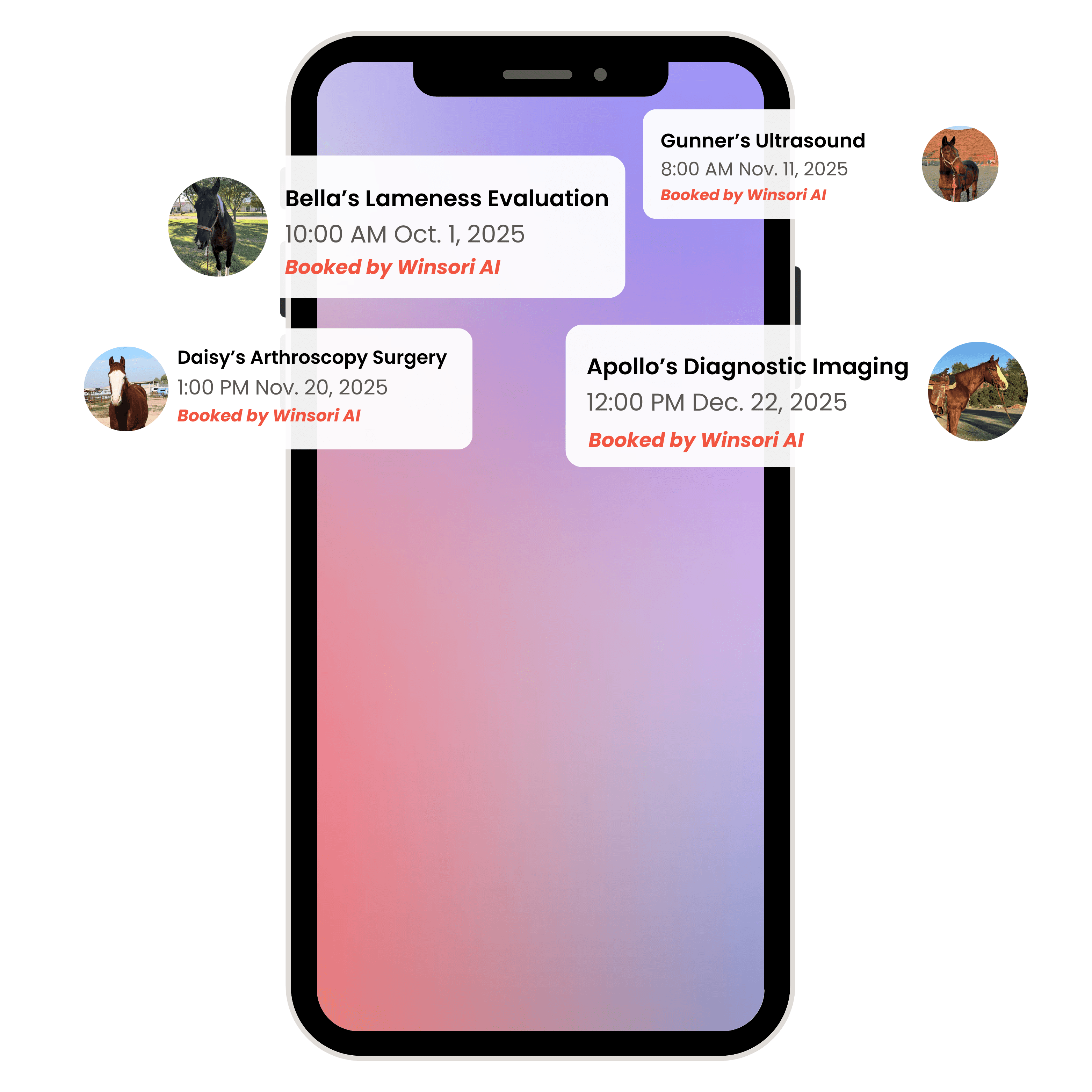
Calls & Text Messages
Never miss a new inquiry - our AI receptionist handles conversations comfortably and naturally.
Porter's Endoscopy
10/30
Jack's Teeth Float
11/26
Address.org
DR88
Appointment Scheduling
Automatically gather caller information and book appointments with ease.
Block Off Zone A and B Tomorrow

Custom Route Optimization
Automated routing and availability logic tailored to your routes, zones, and service types.









Integrated Into Your Workflows
Integrates seamlessly with your CRM and existing tools.
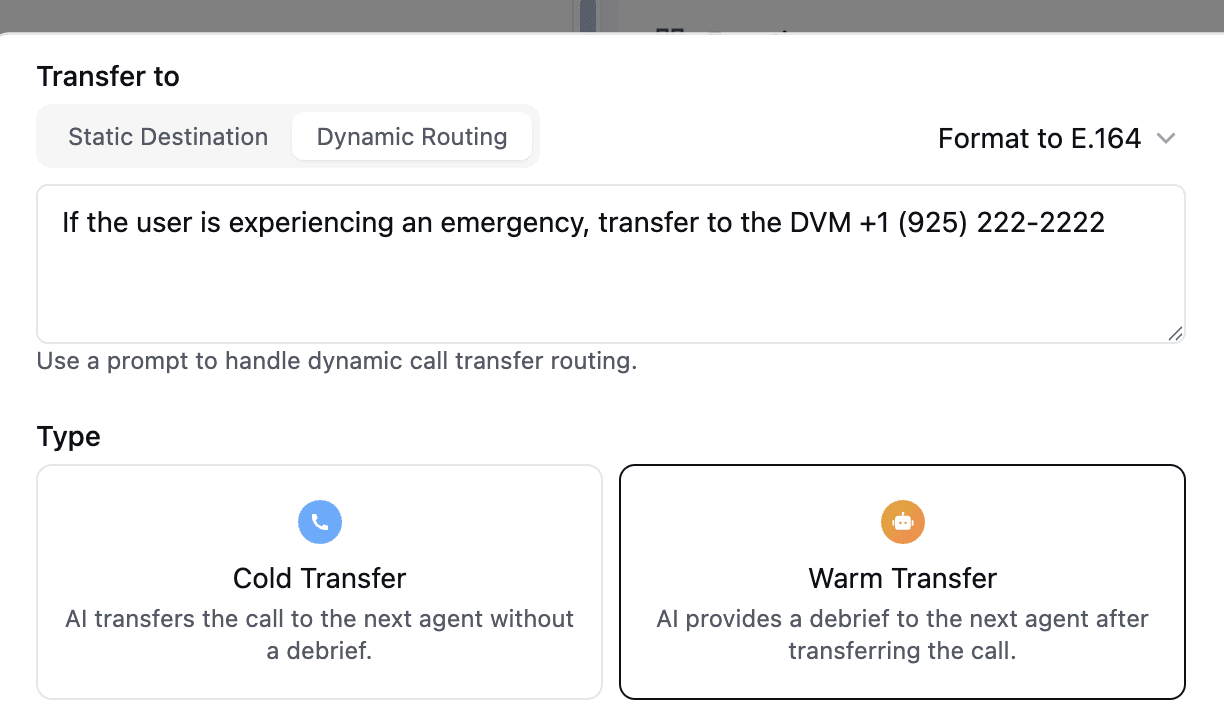
Call Routing and Notifications
Instantly transfer calls as needed to ensure emergencies are handled without delay.
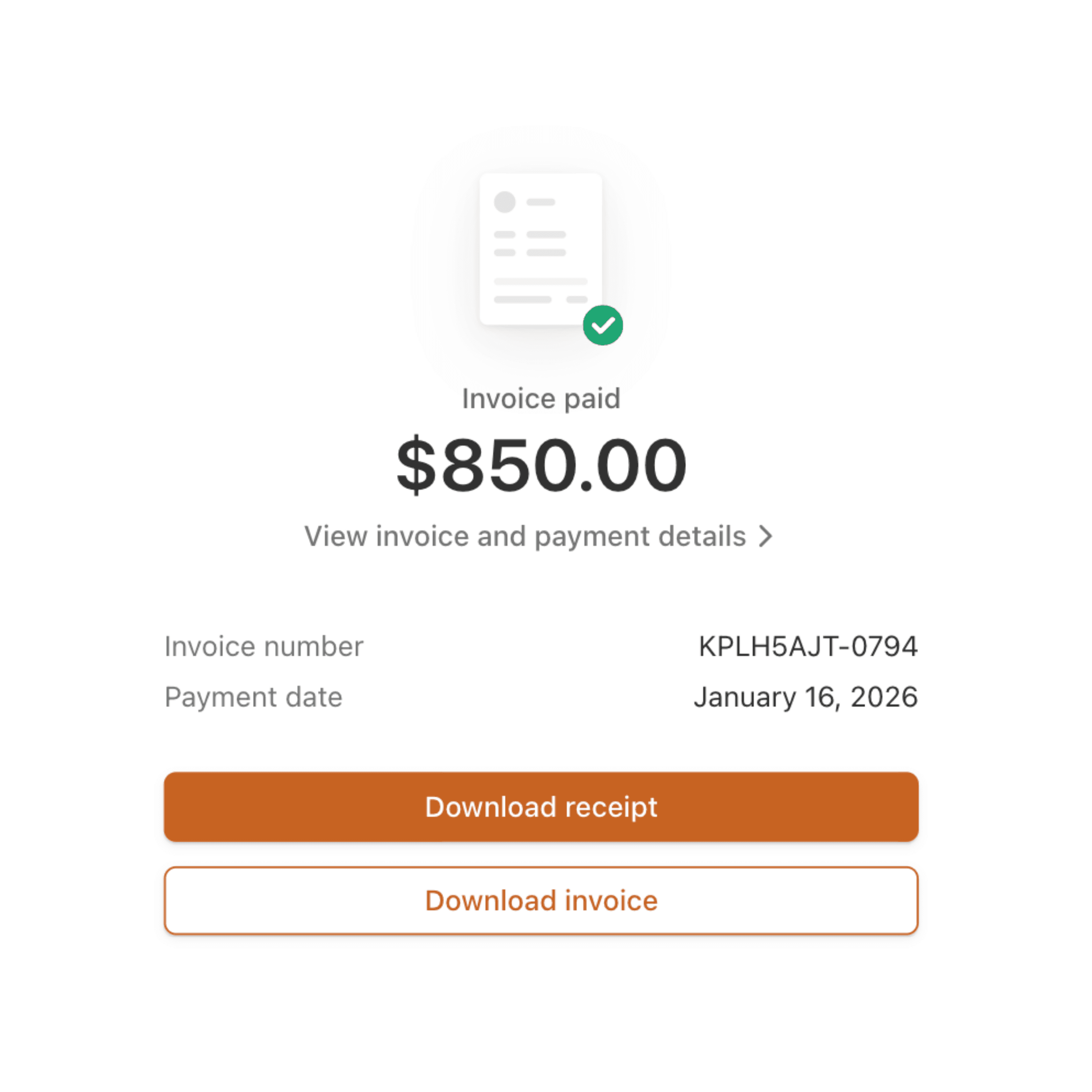
Automated Invoice Tracking
Send invoices instantly after service, with automated reminders that reduce follow-up work.
Calls & Text Messages
Never miss a new inquiry - our AI receptionist handles conversations comfortably and naturally.
Porter's Endoscopy
10/30
Jack's Teeth Float
11/26
Address.org
DR88
Appointment Scheduling
Automatically gather caller information and book appointments with ease.
Block Off Zone A and B Tomorrow
Custom Route Optimization
Automated routing and availability logic tailored to your routes, zones, and service types.
Integrated Into Your Workflows
Integrates seamlessly with your CRM and existing tools.
Call Routing and Notifications
Instantly transfer calls as needed to ensure emergencies are handled without delay.
Automated Invoice Tracking
Send invoices instantly after service, with automated reminders that reduce follow-up work.
//
Using Eau has been a game-changer for our digital marketing strategy. The insights we’ve gained have allowed us to refine our content and significantly boost our search engine rankings.

Samantha Greene
Head of Marketing | TechSolutions
Calls & Text Messages
Never miss a new inquiry - our AI receptionist handles conversations comfortably and naturally.
Porter's Endoscopy
10/30
Jack's Teeth Float
11/26
Address.org
DR88
Appointment Scheduling
Automatically gather caller information and book appointments with ease.
Block Off Zone A and B Tomorrow
Custom Route Optimization
Automated routing and availability logic tailored to your routes, zones, and service types.
Integrated Into Your Workflows
Integrates seamlessly with your CRM and existing tools.
Call Routing and Notifications
Instantly transfer calls as needed to ensure emergencies are handled without delay.
Automated Invoice Tracking
Send invoices instantly after service, with automated reminders that reduce follow-up work.
Calls & Text Messages
Never miss a new inquiry - our AI receptionist handles conversations comfortably and naturally.
Porter's Endoscopy
10/30
Jack's Teeth Float
11/26
Address.org
DR88
Appointment Scheduling
Automatically gather caller information and book appointments with ease.
Block Off Zone A and B Tomorrow
Custom Route Optimization
Automated routing and availability logic tailored to your routes, zones, and service types.
Integrated Into Your Workflows
Integrates seamlessly with your CRM and existing tools.
Call Routing and Notifications
Instantly transfer calls as needed to ensure emergencies are handled without delay.
Automated Invoice Tracking
Send invoices instantly after service, with automated reminders that reduce follow-up work.
//
Using Eau has been a game-changer for our digital marketing strategy. The insights we’ve gained have allowed us to refine our content and significantly boost our search engine rankings.
Samantha Greene
Head of Marketing | TechSolutions
Calls & Text Messages
Never miss a new inquiry - our AI receptionist handles conversations comfortably and naturally.
Porter's Endoscopy
10/30
Jack's Teeth Float
11/26
Address.org
DR88
Appointment Scheduling
Automatically gather caller information and book appointments with ease.
Block Off Zone A and B Tomorrow
Custom Route Optimization
Automated routing and availability logic tailored to your routes, zones, and service types.
Integrated Into Your Workflows
Integrates seamlessly with your CRM and existing tools.
Call Routing and Notifications
Instantly transfer calls as needed to ensure emergencies are handled without delay.
Automated Invoice Tracking
Send invoices instantly after service, with automated reminders that reduce follow-up work.
Our Process
Our proven 3-step framework to scale your internal processes.
Our proven 3-step framework to scale your internal processes.
Step 1
Step 1
Onboarding
Onboarding
We map your services, FAQs and workflows so your Al receptionist nails every call, every time.
Step 2
Step 2
CRM Integration
CRM Integration
We integrate the AI receptionist with the software you currently use to handle bookings automatically.
Step 3
Step 3
Test & Deploy
Test & Deploy
We share inbound/outbound call summaries so you can review and fine-tune until it works seamlessly.
Got Questions?
Will callers know they’re speaking to an AI?
Can I trust the AI to give accurate information?
How much does it cost?
Do you offer support?
Do I need a new phone number?
Got Questions?
Will callers know they’re speaking to an AI?
Can I trust the AI to give accurate information?
How much does it cost?
Do you offer support?
Do I need a new phone number?
Got Questions?
Will callers know they’re speaking to an AI?
Can I trust the AI to give accurate information?
How much does it cost?
Do you offer support?
Do I need a new phone number?
Will callers know they’re speaking to an AI?
Can I trust the AI to give accurate information?
How much does it cost?
Do you offer support?
Do I need a new phone number?
4 Silent Killers Killing Your Growth
You're not picking up every call
58% of clients go with the first hospital that answers the phone, especially during after hours.
You're not following up with leads promptly
Slow triage and inconsistent follow-ups drives your leads to go to more responsive competitors.
You're manually calculating routes and availability
Most scheduling tools ignore drive time and service zones - forcing your team to manually calculate routes and availability.
You're manually tracking down invoice payments
Every manual follow-up increases A/R days and pulls you away from clients.